• Home
  • Bio
    • Press Kit
  • Books
  • Blog
    • Master List of Story Tips
  • Teacher Resources
    • Author Visits + Events
  • Contact
  • Invite Me to Speak

Author of books for young people

alyssamhollingsworth@gmail.com
Alyssa HollingsworthAlyssa Hollingsworth
  • Home
  • Bio
    • Press Kit
  • Books
  • Blog
    • Master List of Story Tips
  • Teacher Resources
    • Author Visits + Events
  • Contact
  • Invite Me to Speak
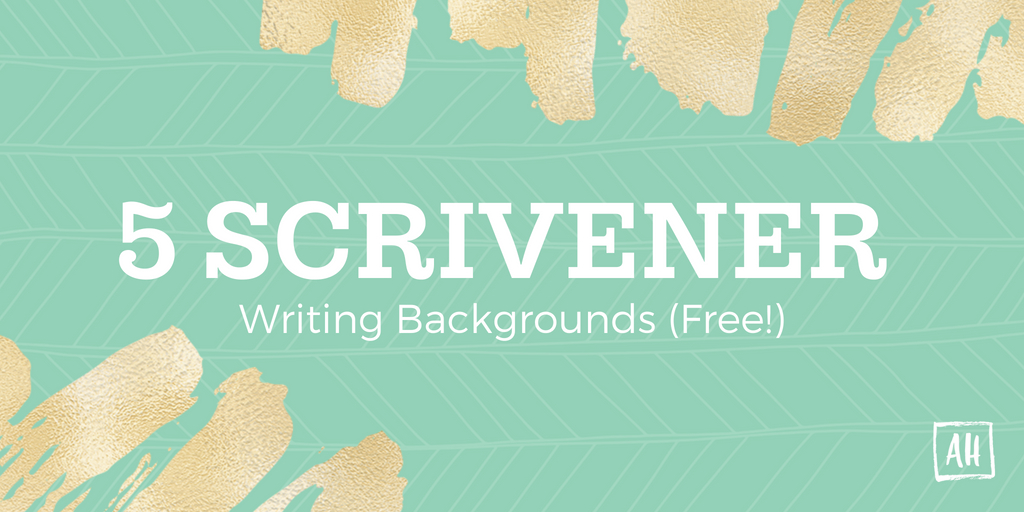
5 Free Scrivener Writing Backgrounds

5 Free Scrivener Writing Backgrounds

May 26, 2017 Posted by Alyssa Writing Tips

FREE SCRIVENER WRITING BACKGROUNDS(This post contains affiliate links, which means that if you click on one of the product links and end up buying something, I’ll receive 20% of sales. Why? Because Scrivener is amazing. I’ve used it for five years and love it. And I thought, you know, since I talk about it literally all the time, maybe I should have it help pay for this blog.)

Many moons ago, I posted a picture of my writing progress in Illuminate using one of Scrivener‘s special features: Composition background. First, I’ll let you know how what composition mode is and how to set it up. Then I’ll link to my freebie images.

You can also use these images as desktop wallpapers or whatever else you desire, if you don’t have Scrivener (you heathen). Basically they’re just simple backgrounds that look nice when text is written over them.

What is Scrivener?

Glad you asked because I am basically obsessed with it. If you need a super fast intro, take a look at this tumblr post. An even shorter version is: Scrivener is an amazing writing program.

How to Use Backgrounds in Composition Mode:

1. Open Scrivener and click View -> Composition Backdrop -> Choose. Find the backdrop you want and click it.

Screen Shot 2014-08-30 at 10.11.58 AM


2. Go into Composition Mode and adjust your settings accordingly. You want your paper to be totally faded, and depending on your backdrop you may want to adjust the paper position.

Screen Shot 2014-08-30 at 10.14.38 AM


And, voila! Now you can write with a cool background.
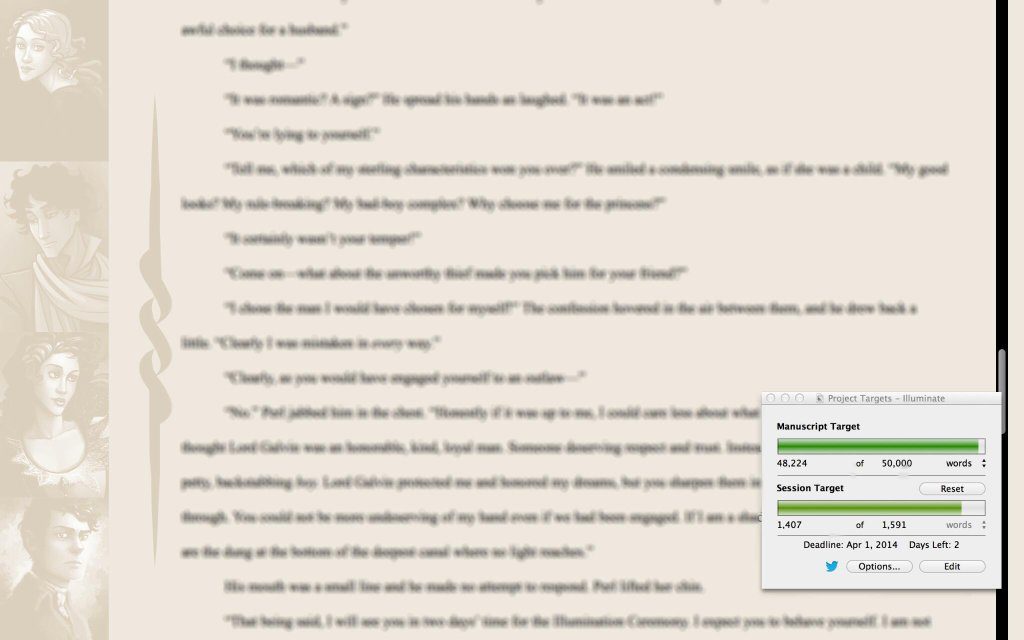
Illuminate Background

For Illuminate, I created a background that showed all of my main characters in the empty space on the left. I found this to be a rather nice focusing tool while I went.

Five Backgrounds for You:

background1
background2
background5
background3
background4

Click the thumbnails to grab the full sized images!

Questions? Tips? Leave a comment below!

Related Posts

  • Cover Reveal (U.S. Edition)Cover Reveal (U.S. Edition)

Share this:

  • Click to share on Facebook (Opens in new window) Facebook
  • Click to share on X (Opens in new window) X
  • Click to share on LinkedIn (Opens in new window) LinkedIn
  • Click to share on Pinterest (Opens in new window) Pinterest
  • Click to share on WhatsApp (Opens in new window) WhatsApp
  • Click to share on Threads (Opens in new window) Threads
  • Click to share on Bluesky (Opens in new window) Bluesky

Like this:

Like Loading...
Tags: draftinggraphicsscrivenerwritingwriting tips
Share
0

You also might be interested in

On Agents, Publishers, and Community

The Launch Party: On Agents, Publishers, and Community

May 13, 2015

Last July, I volunteered to co-edit the Bath Spa University[...]

Text over a pink background reads: "the adverse childhood experiences quiz: adapted for characters." Gold accents are on the bottom left and top right corner.

The Adverse Childhood Experiences Quiz: Adapted for Characters

May 24, 2024

I’ve been spending the past few years getting my doctorate[...]

Recent Highlights from WriteOnCon

Recent Highlights from WriteOnCon

Nov 28, 2017

Things have been scarce on the blog recently, and that’s[...]

Alyssa Logo
Alyssa Hollingsworth

Alyssa was born in small town Milton, Florida, but life as a roving military kid soon mellowed her (unintelligibly strong) Southern accent. Wanderlust is in her blood, and she’s always waiting for the wind to change. Stories remain her constant.

Goodreads Twitter Instagram Pinterest LinkedIn

divider
Privacy & Cookies: This site uses cookies. By continuing to use this website, you agree to their use.

To find out more, including how to control cookies, see here: Cookie Policy

Popular Posts

  • How I Met My Publisher(s)
    How I Met My Publisher(s) Guys, I am SO EXCITED to FINALLY be able to...
    Read More
  • How Plot and Narrative Strengthen Stories
    How Plot and Narrative Strengthen Stories As a young writer, I didn’t know the difference between...
    Read More
  • 50 Questions to Ask Your Antagonist
    50 Questions to Ask Your Antagonist Antagonists are tricky. Too little work, and the antagonist comes across...
    Read More
  • 10 Questions to Ask When You Create a Fictional Culture
    10 Questions to Ask When You Create a Fictional Culture The way I build worlds is by collecting cool stuff...
    Read More
  • How to Write Arguments with Maximum Punch
    How to Write Arguments with Maximum Punch Arguments are both exciting and difficult to write. It’s challenging to...
    Read More

© 2025 · Alyssa Hollingsworth

  • Home
  • Bio
    • Press Kit
  • Books
  • Blog
    • Master List of Story Tips
  • Teacher Resources
    • Author Visits + Events
  • Contact
  • Invite Me to Speak
Prev Next
%d